Descaling your Nespresso machine is essential maintenance that removes mineral buildup and keeps your machine running optimally. According to Nespresso's official guidance, you should descale approximately every three months, or when the descaling indicator light appears on your machine. The process involves filling your water tank with Nespresso's descaling solution (a citric acid-based product), entering descaling mode, running the solution through the group head, and then thoroughly rinsing with fresh water. The entire procedure typically takes 15-20 minutes and requires minimal effort beyond pressing buttons and monitoring the process.
When to Descale Your Machine
Descale your Nespresso machine every three months as part of regular maintenance to prevent mineral deposits from accumulating inside the boiler and internal components. Most modern Nespresso machines feature a descaling indicator light that illuminates when the machine detects it's time to descale based on usage patterns or water hardness. If your machine has an indicator light, this is your cue to begin the descaling process immediately.
Factors that may require more frequent descaling include hard water, frequent daily use, or living in a region with naturally mineral-rich water. Conversely, if you use filtered or distilled water and your machine has low usage, you may descale less frequently, though Nespresso still recommends the three-month interval as a baseline. To estimate your own interval from your water hardness and how often you brew, try our descaling frequency calculator.
What You'll Need
Before starting the descaling process, gather the following items:
- Nespresso Descaling Kit: Official descaling solution designed specifically for Nespresso machines. Do not substitute vinegar or other household descalers, as these may damage internal components or void your warranty.
- Fresh water: For rinsing after descaling is complete.
- A large container: Minimum 34 ounces (approximately 1 liter) to catch the descaling solution and rinse water running through the machine.
- A damp cloth: For wiping down the machine after the process.
The one item you can't improvise is the descaling solution itself — Nespresso's kit is a citric-acid formula matched to the machine's internals, and vinegar or generic descalers can corrode seals and void your warranty. (For the full reasoning, see can you use vinegar to descale a Nespresso?)
Nespresso
No rating yetCheck Price →$10.99· as of Oct 27, 2026i
Product prices and availability are accurate as of the date/time indicated and are subject to change. Any price and availability information displayed on Amazon.com at the time of purchase will apply to the purchase of this product.
Descaling an Original-Line Machine
Original-line machines (including models such as Essenza, Pixie, and Inissia) follow a similar descaling procedure. Note that specific button combinations vary by model, so consult your machine's manual for exact instructions if the steps below don't match your model.
-
Empty and rinse the water tank: Remove the water tank from your machine, empty any remaining water, and rinse thoroughly.
-
Prepare the descaling solution: Fill the water tank with one pouch of Nespresso Descaling Kit mixed with fresh water according to the kit instructions (typically one pouch per full tank).
-
Place a container under the spout: Position your large container directly under the coffee spout to catch the descaling solution.
-
Enter descaling mode: Press and hold the machine's button for approximately 5 seconds until the light begins blinking rapidly. This indicates the machine has entered descaling mode. (Button duration and method may vary by model—check your user manual.)
-
Insert the tank and start the cycle: Place the filled water tank back on the machine and press the button to begin. The machine will start running the descaling solution through the group head continuously.
-
Monitor the process: Allow the solution to run through until the water tank is empty. The light will continue blinking throughout the cycle. This typically takes several minutes.
-
Discard the solution: Once the cycle completes and the machine stops, remove the container and discard the used descaling solution.
-
Rinse thoroughly: Empty and refill the water tank with fresh water. Place an empty container under the spout again and press the button to start the rinsing cycle.
-
Repeat rinsing: Run the entire tank of fresh water through the machine. Once complete, repeat steps 8-9 at least once more to ensure all descaling solution has been removed.
-
Exit descaling mode: After the final rinse cycle, the light should stop blinking and return to steady. Your machine is now ready for use.
Descaling a Vertuo Machine
Vertuo-line machines (Vertuo, VertuoPlus, Vertuo Next, Vertuo Pop and Pop+) use a different descaling process from the Original line, with their own button combinations (new to the split between the two lines? see Nespresso Vertuo vs Original). Always check your specific model's manual for the exact sequence.
Three numbers worth knowing before you start, because the Vertuo cycle is unforgiving: it takes about 20 minutes and cannot be interrupted once begun, you need 0.5 litres of water plus one unit of descaling solution, and a 1 litre container under the outlet. Set aside the time rather than starting it on the way out of the door — a cycle cut short is the single most common reason a Vertuo ends up stuck after descaling.
-
Empty and prepare the water tank: Remove the water tank and rinse thoroughly.
-
Mix the descaling solution: Fill the water tank with one pouch of Nespresso Descaling Kit mixed with fresh water according to the kit instructions.
-
Position the container: Place a large container (minimum 34 ounces) underneath the coffee spout.
-
Enter descaling mode — the step most people miss: On Vertuo machines you hold the coffee button for seven seconds twice, with a lock and unlock in between. Starting from the unlocked position: hold the button seven seconds, turn the lever left to lock, turn it right to unlock again (without opening the head fully), then hold the button another seven seconds. The light blinks rapidly once you are in. Nespresso's own walkthrough shows the hold but not that you repeat it, which is why so many owners conclude their machine is broken when it simply never entered the mode. You then have roughly 45 seconds to proceed before it drops back to normal brewing. Button combinations vary by model, so confirm yours against the manual.
-
Start the descaling cycle: Press and release the button once. The machine will begin running the descaling solution through, and the light will blink continuously.
-
Allow the cycle to complete: Let the solution run until the water tank is empty and the machine stops making noise.
-
Discard the solution: Remove the container and discard the used descaling solution.
-
Refill with fresh water: Empty the water tank, rinse it thoroughly, and fill it with fresh water.
-
Begin the rinsing cycle: Place an empty container back under the spout and press the button once to start rinsing.
-
Repeat rinsing: Once the tank empties and the machine stops, refill the tank with fresh water and repeat the rinsing cycle at least once more.
-
Let the machine rest: Once rinsing is complete, unlock the lever. The light should return to steady, and the machine will stop automatically. Allow the machine to rest for approximately 10 minutes before use.
Which descaling solution for a Vertuo?
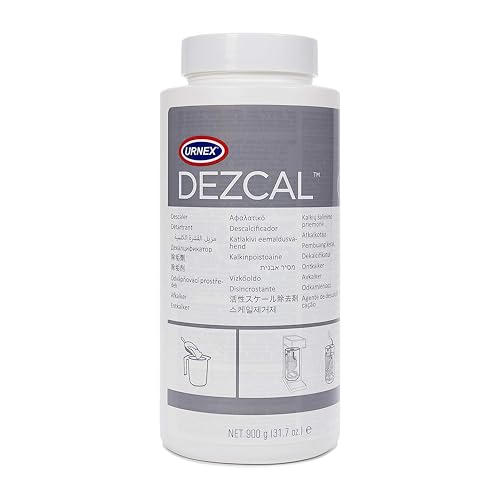
There is no separate Vertuo formula — Nespresso's descaling kit is the same citric-acid solution across both lines, dosed at one unit per 0.5 litres of water. A third-party citric-acid descaler made for espresso machines works too. What matters is that it is citric-acid based and not vinegar, which can corrode the seals (why).
Nespresso
No rating yetCheck Price →$10.99· as of Oct 27, 2026i
Product prices and availability are accurate as of the date/time indicated and are subject to change. Any price and availability information displayed on Amazon.com at the time of purchase will apply to the purchase of this product.
Urnex
No rating yetCheck Price →$29.98· as of Oct 27, 2026i
Product prices and availability are accurate as of the date/time indicated and are subject to change. Any price and availability information displayed on Amazon.com at the time of purchase will apply to the purchase of this product.
Exiting Descaling Mode
For Original-line machines, the descaling mode automatically exits once you complete the rinsing cycles and the indicator light returns to steady.
For Vertuo machines, unlock the lever after the final rinsing cycle is complete. The light will return to steady, and the machine will exit descaling mode automatically.
If your machine's light continues blinking after completing all steps, refer to the troubleshooting section below or consult your model's user manual.
Descaling Tips and Best Practices
-
Use only Nespresso's official descaling solution: Nespresso's descaling kit contains a natural, citric acid-based formula specifically formulated for their machines. Vinegar, store-bought descalers, and other household products may corrode internal components, damage seals, or void your warranty.
-
Avoid filling the tank during descaling: Do not add water to the tank while a descaling cycle is in progress. Always wait until the cycle is complete before refilling.
-
Protect your surfaces: The descaling solution can stain or discolor surfaces if spilled. Place newspaper, a towel, or a protective mat beneath the machine during the process. Clean up any spills immediately.
-
Rinse thoroughly: Incomplete rinsing can leave residual descaling solution in the machine, affecting espresso taste and potentially causing damage. Always rinse with at least two full tanks of fresh water.
-
Store descaling kits safely: Keep descaling solution out of reach of children and pets. The solution may irritate skin and eyes, and it should not be ingested.
-
Check water hardness: If you live in an area with hard water, you may need to descale more frequently than the standard three-month interval.
Troubleshooting Common Issues
The descaling light won't turn off after completing the process:
This typically indicates that the descaling cycle wasn't completed properly or insufficient rinsing occurred. Repeat the rinsing steps, using fresh water and running the machine until the light returns to steady. If the light persists, unplug the machine for 30 seconds, plug it back in, and attempt the descaling cycle again from the beginning. If the machine stays in descaling mode no matter how many cycles you run, that's a separate problem with its own fixes — see Nespresso stuck after descaling.
The machine won't enter descaling mode:
Consult your specific model's user manual for the exact button-press sequence, as different models use different methods to enter descaling mode. Some machines may require holding the button longer or using a specific combination of button presses.
Water is leaking during descaling:
If water leaks from beneath the machine, this may indicate a misaligned water tank or that the machine hasn't been properly assembled. Stop the cycle, check that the water tank is fully seated, and restart. If leaking continues, contact Nespresso customer support.
Espresso tastes off after descaling:
This usually means descaling solution residue remains in the machine. Run additional rinsing cycles with fresh water until the taste returns to normal.
Little or no water comes through:
Scale buildup is the most common cause of weak or stalled water flow, which is exactly what descaling clears — but an air lock or an unseated tank can cause it too. See Nespresso not pumping water for the full set of fixes in order.
For additional support or model-specific instructions, visit Nespresso's official machine assistance pages or consult your machine's user manual. Regular descaling keeps your Nespresso running smoothly and ensures the best-tasting espresso every time.
Frequently Asked Questions
How often should you descale a Nespresso machine?
About every three months, which is Nespresso's own baseline. Descale sooner if you have hard water, brew several coffees a day, or the descaling indicator light comes on — and you can stretch the interval a little with filtered water and light use. For a number tailored to your water hardness and how much you actually brew, run our descaling frequency calculator.
How long does it take to descale a Nespresso?
Plan on 15–20 minutes for an Original-line machine. A Vertuo takes about 20 minutes and cannot be interrupted once it starts, plus roughly 10 minutes of rest before you brew again — so set the time aside rather than starting it on your way out the door.
How do you put a Nespresso into descaling mode?
On Original machines, hold the single button for about five seconds until the light blinks rapidly. On Vertuo machines you hold the button for seven seconds twice, with a lever lock and unlock in between — the repeated hold is the step Nespresso's own video skips, and it's why most owners think their machine is broken. The full button sequences for each line are in the step-by-step sections above; confirm yours against the model manual.
What descaling solution should you use for a Nespresso?
Nespresso's official kit — a citric-acid formula dosed at one unit per 0.5 litres of water — or any third-party citric-acid descaler made for espresso machines. There is no separate Vertuo formula; the same solution covers both lines.
Can you descale a Nespresso with vinegar?
No. Vinegar is acidic enough to strip scale but can corrode the seals and internal components and void your warranty, so stick to a citric-acid descaler. We cover why in full in can you use vinegar to descale a Nespresso?
Why won't my Nespresso descaling light turn off?
Usually the cycle wasn't completed in the right sequence, or the machine wasn't rinsed with enough fresh water — two incomplete cycles register the same as none. Re-run one full, uninterrupted cycle with the tank filled to the line. If it still won't clear, see Nespresso stuck after descaling.
Related Reading
For the general principles behind descaling — why it matters, how often to do it based on your water hardness, and what to buy — see our guide on how to descale an espresso machine. Own machines from other brands? Each has its own step-by-step guide:
Related: If the descaling light won't clear or your machine is blinking in an unfamiliar pattern, see our Nespresso blinking-light troubleshooting guide.
Sources